> For the complete documentation index, see [llms.txt](https://wiki.landania.net/llms.txt). Markdown versions of documentation pages are available by appending `.md` to page URLs; this page is available as [Markdown](https://wiki.landania.net/english/systems/home-system.md).
# Home System
Homes represent a way for you to get to certain places quickly.
Homes represent a way for you to get to certain places quickly. For this you can enter the command /sethome \ at the point where you are. \ is a unique name that you can specify.
With the command /home \ you can now teleport to this home from anywhere.
With the command /home you see all your set homes and can teleport with one click.
{% hint style="warning" %}
Limitation: You can only teleport to a home in the farm world as long as the farm world has not been reset and you are in that farm world.
You cannot teleport to a home on a realm that you do not have access to.
{% endhint %}
With the command /delhome \ you can delete an existing home.
At the beginning you have 2 homes at your disposal. However, you can buy more homes from Harald in the main world.
You can find Harald on the upper floor of the [treasury](/english/systems/treasury.md) (first building to the right of the spawn). Harald is only available from 06:00 AM - 12:00 AM.
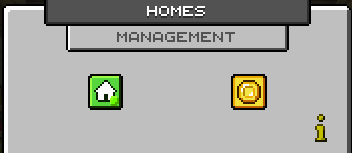
Home menu at Harald in the main world
With the left button you can see how many homes you can currently occupy. With the right button you can buy another home. Each additional home costs 50,000 [coins](/english/player/currencies/coins.md).